
Speak. Get text.
No cloud required.

Fast, private dictation that runs on your machine. Press a hotkey, speak, get clean text. Offline or online, your choice.

v1.0.8 win10+ localfirst nsissigned

SlasshyWispr · Overview captured · 7 Jul 2026
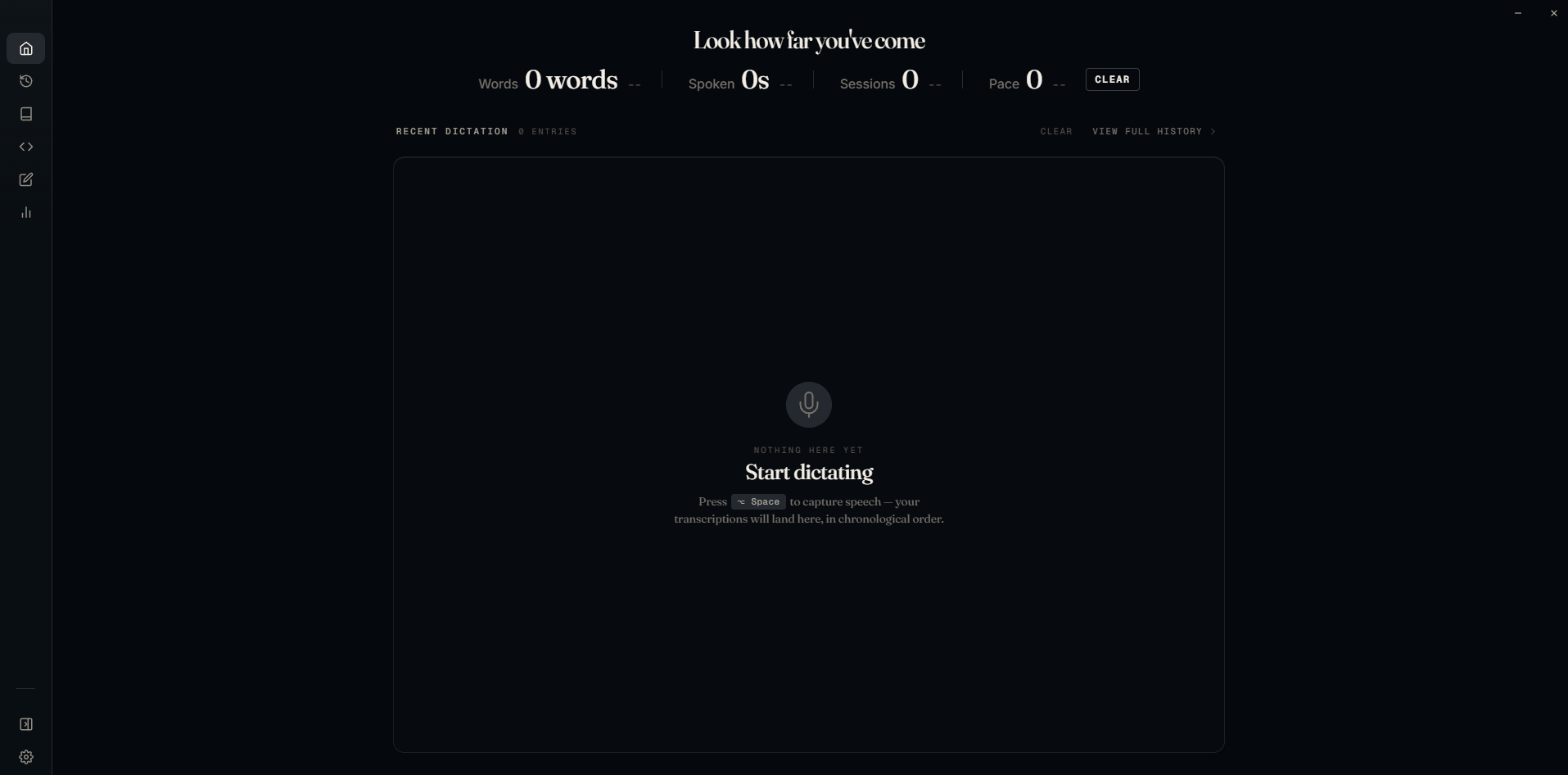
SlasshyWispr Overview page in dark Studio Console style, showing productivity metrics and the latest dictation transcript.
HOVER TO ZOOM

Hover to open a larger view of the app.

The surface.

VERSION 1.0.8

Built for people who dictate all day.

SlasshyWispr stays out of your way until you need it. Press the hotkey, speak, and watch your words appear instantly. Every step of the process is transparent: you see exactly what's happening and how long it takes.

1.5s end to end
0 cloud required
100% transparent
Speech to text parakeet · whisper · online STT
Language model ollama · openai-compatible · custom
Speech synthesis piper · coqui · browser TTS
Hotkey push-to-talk · toggle · wake phrase
Wake phrase 'hey slasshy' · 'hey jarvis' · custom
Pipeline visibility stt · ai · tts timings, live

From the moment the hotkey is pressed.

See the dictation pipeline in action. Press the hotkey, speak, and watch the text appear in real time. The same speed and responsiveness you'll get in the actual app.

online.slasshy.slasshywispr.exe v1.0.8

Overview

Words 2445words +35%
Spoken 16m +20%
Sessions 145 -37%
Pace 146 --

No activity yet

Start dictating to see your recent transcriptions here.

7 JUL 2026
03:48 AM

03:48 AM

How can I help with this?

60 FPS · ease-out-quint · 8 STAGES READY · 9.4 s LOOP

The hotkey is the product.

Not a chat app. Not a productivity suite. A dictation tool that respects your focus. The hotkey is the product. Your voice becomes text, instantly, privately, on your machine.

Hands never leave the keys.

CUSTOMIZABLE · 16 BUILT-IN

Your hands stay on the keyboard.

Every action has a shortcut. No mouse required. Customize them to match your workflow.

ALT + SPACE
/ PUSH TO TALK · TOGGLE
Capture voice from the focused app.
CTRL + SHIFT + R
/ WAKE PHRASE
Listen passively for "hey slasshy".
CTRL + ENTER
/ INSERT TRANSCRIPT
Paste the clean text into the focused app.
ALT + 1 .. 5
/ NAVIGATE
Jump between Home, History, Dictionary, Snippets, Notes.
CTRL + L
/ OPEN LAST TRANSCRIPT
Re-edit the most recent dictation.
CTRL + K
/ COMMAND PALETTE
Every command, snippet, and dictionary entry.
CTRL + .
/ ASK ASSISTANT
Toggle the on-demand assistant with TTS reply.
ALT + S
/ OPEN SETTINGS
Models, hotkeys, dictionary, runtime modes.

The pipeline is visible.

STT · AI · TTS · LIVE

See exactly how fast your dictation is.

Every step shows its timing. Speech-to-text, AI processing, text-to-speech: you see where the time goes, every time.

  • SPEED Under 1.5 seconds, end to end.
  • FALLBACK Cloud kicks in if local is too slow.
  • TRANSPARENT Every stage shows its own timing.
PIPELINE · LIVE slasshywispr
stt 180 ms rewrite 340 ms llm 420 ms tts 195 ms total 1.1 s

Offline by design.

/ POSITION

Your voice stays on your machine.

Offline is the default. Your voice never leaves your device unless you choose to go online. When you do, credentials stay in your OS keyring, not our servers.

SlasshyWispr 1.0.8

One installer. No account required. No telemetry. Just dictation that works.

NSIS · signed 38 MB Win 10 21H2+ No telemetry
RELEASES github.com/SlasshyOverhere/SlasshyWispr/releases/latest ISSUES github.com/SlasshyOverhere/SlasshyWispr/issues CHECKSUM sha256 · see release notes